Seedance drafts: plan AI videos at 480p, finish at 720p
By Bildy Team
A video model rarely gets a shot right the first time. You get a camera move in the wrong direction, or a shot that runs a second too long. If every try costs the full price of a 720p clip, you pay that price for every mistake, and a one-minute video with ten shots gets expensive before you've seen anything you like.
With Seedance drafts on Bildy you try each shot at 480p first, and once a draft looks right, Bildy makes the final video at 720p from it. In video mode that's how the Draft video and Final video steps work, with Seedance 2.0 or Seedance 2.5.
How Seedance drafts work on Bildy, in short
- Seedance 2.0 480p and Seedance 2.5 480p are the same Seedance models at a lower resolution, and a 480p clip costs less than half of the same clip at 720p.
- You can generate a shot at 480p as often as you like before you pay for the 720p version.
- In video mode, Bildy sends the final model the draft as a reference video, along with the same prompt and the same first image, and asks for the same shot, movement, framing and timing in full quality.
- The final video is close to the draft. Small things like the folds of a coat or a passer-by in the background can come out a little different, because the model generates the shot again.
Here's a draft and the final video made from it, both with Seedance 2.0 and the settings video mode uses.
What a Seedance draft is on Bildy
Seedance is ByteDance's video model. Bildy has Seedance 2.0 at 720p, Seedance 2.0 Fast at 720p and Seedance 2.0 480p, plus Seedance 2.5 at 720p and Seedance 2.5 480p. All of them make sound with the picture, and all of them take either a first and last image or reference pictures. We compare Seedance with the other models on Bildy in our practical guide to AI video models.
A Seedance draft is a clip you generate at 480p to see whether a shot works. You can judge the things a small picture shows well: where the camera goes, how people move, when the action starts and ends, and whether the shot needs 5 seconds or 8. Fine detail like the texture of a sweater or small text on a sign is hard to judge at 480p, and you see it properly in the final video.
Try several versions of a shot at 480p before you pay for 720p
Say your shot is a young woman opening an old wooden box in an attic. In the Pictures step you generate its first image:
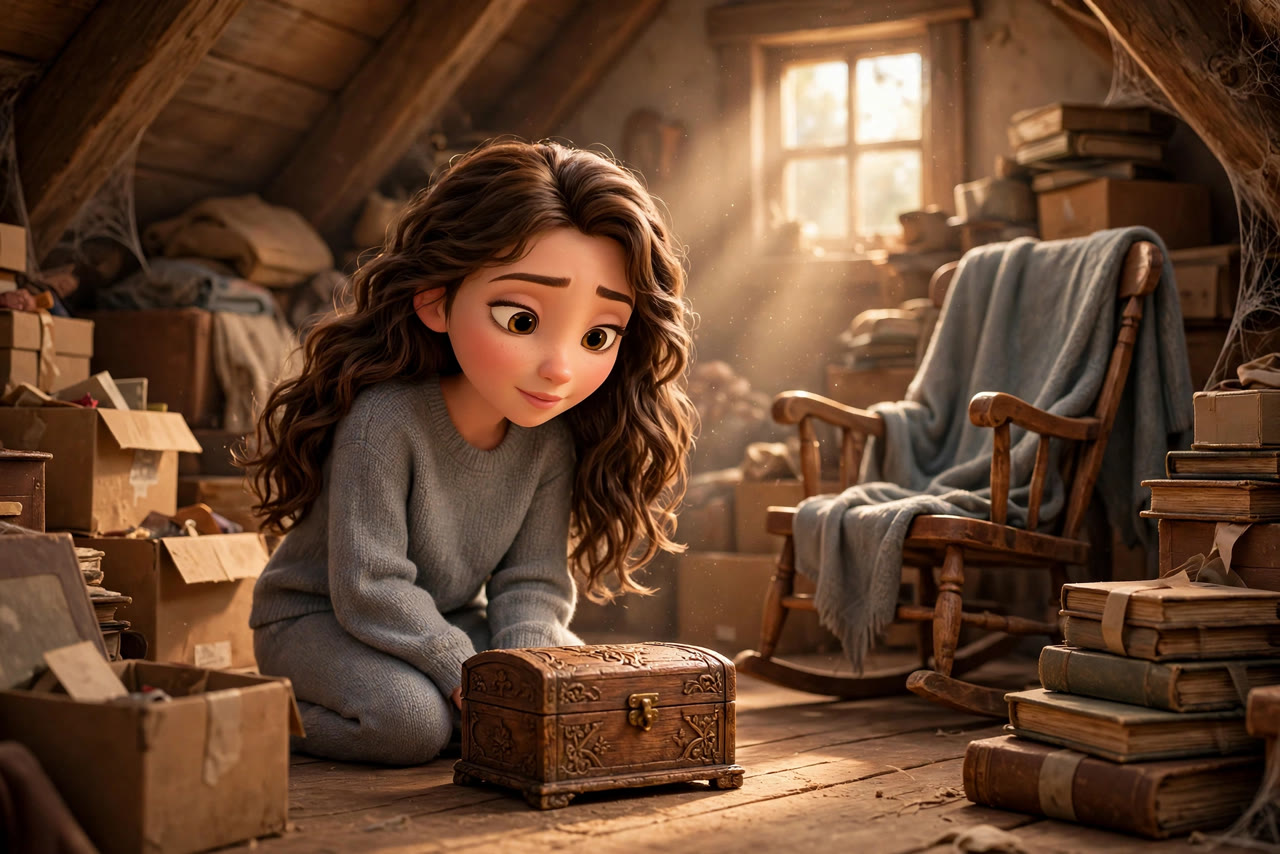
You write "fast push in on the box" into the prompt and generate a draft. In that draft the camera moves in so fast that you end up looking at the open box, and her face is out of frame. You change it to "slow push in on her and the box" and generate again, and in the second draft she and the box are in frame the whole time.
Those two tries at 480p cost less than one try at 720p, with Seedance 2.0 and with Seedance 2.5. If you'd made both at 720p, you'd have paid more than twice as much to see the same mistake.
Turn the draft you like into the final video
In the Final video step, Bildy generates every section again in full quality. You pick the final model there: Seedance 2.0, Seedance 2.0 Fast or Seedance 2.5, all at 720p. Under the model there's a box called "Use the draft as reference", and it's ticked when you open the step.
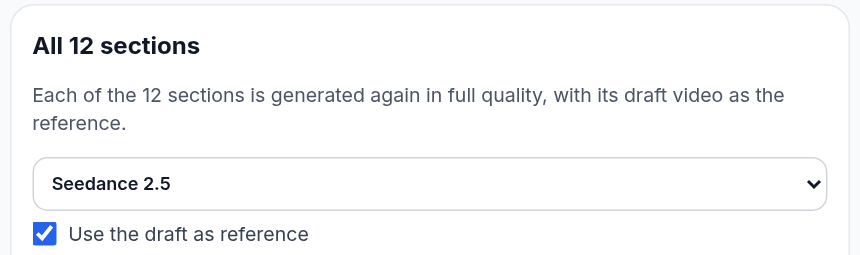
With the box ticked, we send the model for each section:
- the same prompt you wrote for the draft
- the first image of the section, and the last image if it has one
- the style of the video, if you picked one
- the draft video itself, with the instruction to make it again in full quality: the same shot, the same movement, framing and timing
Because the final model gets the draft as its reference, you keep the camera move and the order of what happens. In the attic shot at the top of this article, the final video has the same slow push-in, and she lifts the lid at the same moment as in the draft. The model still generates the shot again from scratch, so details like the folds of a coat can differ. If a final video is too far from its draft, you can generate that one section again and leave the rest as they are.
With the box unticked, Bildy makes each final video from the prompt and the pictures, the same way it made the draft, at 720p. You get a new take of the shot, which suits a section where you liked the idea of the draft but would like to see a different version of it.
What a Seedance 2.5 final video costs with its draft
A Seedance 2.0 final video costs the same with or without its draft, and a Seedance 2.5 final video costs about four times as much with its draft, because a run with a reference video is dearer on Seedance 2.5. The button shows the price for every section before you generate, and it changes as soon as you tick or untick the box.
To spend less on Seedance 2.5 final videos, you can untick the box, generate the sections where a new take is fine, and then tick it again for the sections where the movement has to match.
ByteDance's own Seedance 2.5 draft mode, where Seedance turns a 480p draft into a 1080p video with the same seed and settings, is coming to Bildy soon.
Set the first and last image of a shot
Seedance takes a first image and, if you like, a last image, and it fills in the movement between the two. From a picture of a closed box and a picture of the same box open, Seedance generates a shot of the box opening. We explain the difference between first frames, last frames and reference pictures in our article on video references.
In video mode you generate these images in the Pictures step, one first image per section and a last image only where you need one. Bildy generates the draft and the final video from the same first image, which is one reason the two look alike.
How to plan a whole video with Seedance drafts in Bildy video mode
- In step 1, Cast and story, describe your video. Bildy writes the cast, the locations and a storyboard, and splits the story into sections of 3 to 10 seconds, one shot each.
- In step 2, Pictures, generate the first image of every section and fix any that look wrong.
- In step 3, Draft video, pick Seedance 2.0 480p or Seedance 2.5 480p as the video model and generate the drafts. Play the whole video, then generate again any section where the movement or the timing is off.
- In step 4, Final video, pick the final model and generate the final videos. Leave "Use the draft as reference" ticked to keep the shot and timing of each draft.
- Export the finished video as one file.
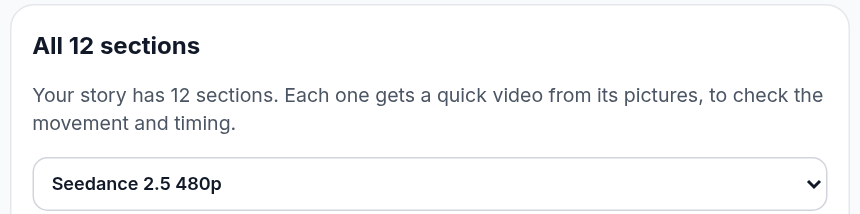
The video editor tutorial has screenshots of all four steps. If you only have a product photo and want a short clip from it, turning static product photos into videos is a simpler place to start.
When LTX 2.5 Fast is the better draft model
The default draft model in video mode is LTX 2.5 Fast, and it costs about a third of Seedance 2.0 480p per second. It makes a clip from the first and last image of a section, which is often enough to check a cut or the length of a shot. Honestly, you can check the pacing of a whole video with LTX drafts.
Pick a Seedance 480p model when you'd like the movement in the drafts to look like the movement in the final videos, since Seedance generates both. For a section with reference pictures in place of a first image, Bildy generates the draft with Seedance 2.0 480p.
Mistakes that cost credits when you work with Seedance drafts
You pay the 720p price for every fix you make after the final videos, and that's more than twice the 480p price of the same fix in a draft.
If you change a section's prompt after its draft is made, Bildy generates the final video from the new prompt and the old draft together, and you can end up with a shot that matches neither. Bildy marks those sections as edited after their video was generated, so you can see which drafts to generate again.
Faces in a wide shot and small text are hard to check in a draft, since a 480p picture has very few pixels for either. You see them properly in the final video.
Common questions about Seedance drafts on Bildy
Will the final video look the same as my draft?
With "Use the draft as reference" ticked, the shot, the movement, the framing and the timing stay the same in most cases, because the final model gets the draft as its reference. Small details can change, like the pattern on a shirt or a face in the far background.
Can I use Seedance 2.5 for the drafts and the final video?
Yes. Pick Seedance 2.5 480p in the Draft video step and Seedance 2.5 in the Final video step. You can also mix them, for example Seedance 2.0 480p drafts with Seedance 2.5 final videos.
Is a Seedance 480p draft cheaper than a 720p clip?
Yes. A 480p clip costs less than half of the same clip at 720p, on Seedance 2.0 and on Seedance 2.5. The model picker shows the price of every clip length before you generate.
How long can a section be?
In video mode a section is 3 to 10 seconds long. Seedance 2.5 makes clips from 4 seconds up, so it makes a 4-second clip for a 3-second section. In the image editor you can also make longer single clips, up to 15 seconds with Seedance 2.0 and up to 30 seconds with Seedance 2.5.
Can I change the prompt for the final video?
Yes, but with the box ticked Bildy then generates the final video from the new prompt and the old draft at the same time. If the change is big, generate the draft again first, or untick the box before you generate that section.
Do Seedance drafts have sound?
Yes. Seedance 2.0 480p and Seedance 2.5 480p make sound with the picture, the same way the 720p versions do.
Is Seedance 2.5 draft mode with 1080p coming to Bildy?
Yes, it's coming soon. Until then you can make Seedance 2.5 drafts at 480p and final videos at 720p in video mode.
Make your next video with Seedance drafts
If you have a story in mind, you can start a video project on bildy.ai and run the drafts with Seedance 2.0 480p or Seedance 2.5 480p before you make the final videos.